
CPFL Energia
- reduction in unnecessary overtime
- 91%reduction in unnecessary overtime

And the hidden labor liability is growing silently.
Our intelligent system automatically blocks unauthorized work and reduces exposure to unauthorized overtime before it turns into lawsuits.
R$ 2.3 million of impact at Afya, a published case
Critical scenarios happening right now at your company, generating hidden liability.
Employee clocks out at 6 PM but keeps working until 9 PM. Unrecorded, uncompensated. In an audit or lawsuit, the company pays back wages with interest + fines + attorney fees.
Impact:
Real cost far above the original amount
Liability grows with interest, fines and legal fees
MTb audit identifies work-hour irregularities. Heavy fines + full retroactive payment + forced structural correction.
Impact:
Fine per violation × employees × months
An audit can force structural correction
Manager gave verbal authorization. Employee worked. Company has no formal record. In a labor lawsuit, the employee's word prevails.
Impact:
Judgment: amount + interest + penalty + fees
Missing records weaken the defense
An automated system that blocks unauthorized work and records 100% of actual hours worked, without relying on human discipline.
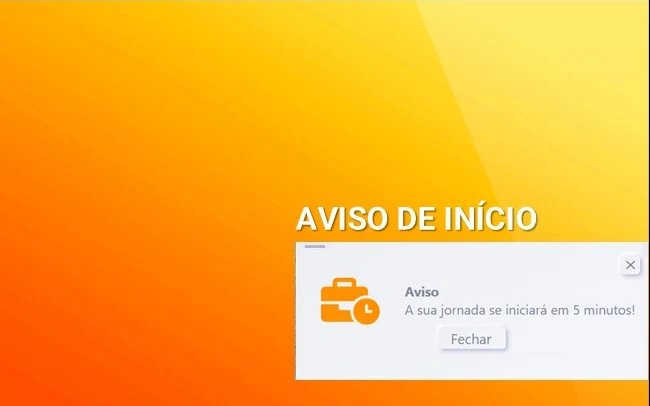
The system alerts employees 15 minutes before the end of their shift.
Temporal anchor for remote work
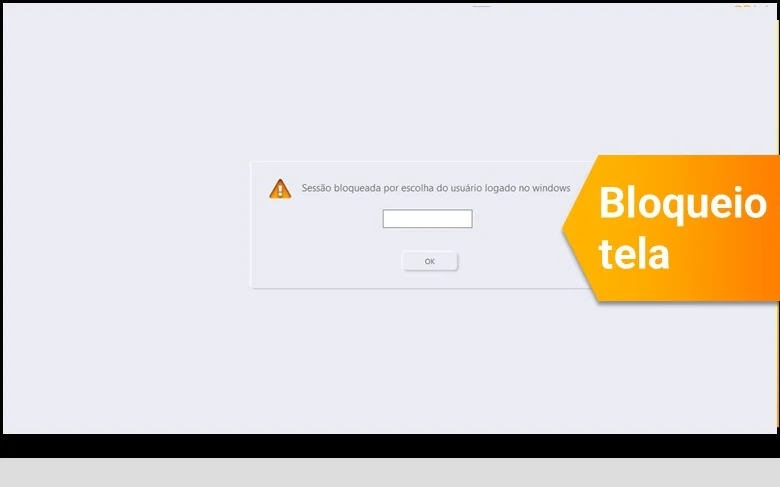
At the end of the shift, the screen locks automatically. Protects employees from 'just 10 more minutes' that turns into million-dollar liability.
Zero unauthorized work
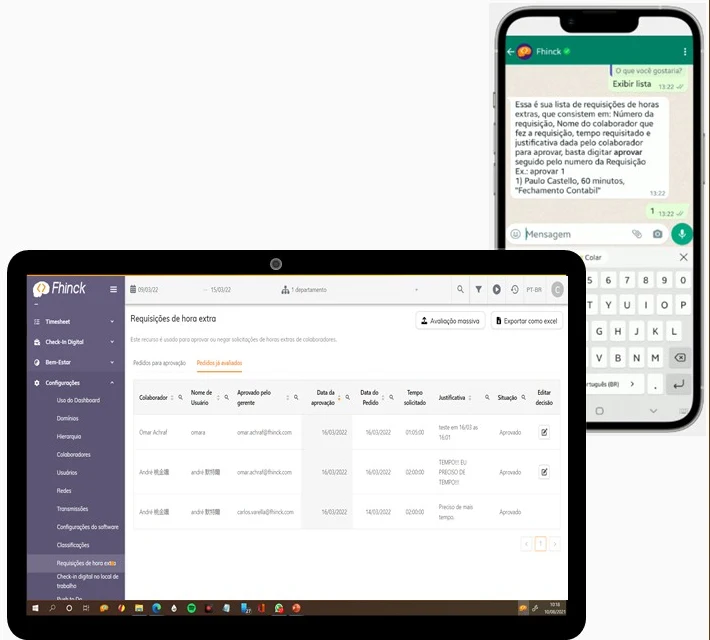
Extension requests in natural language. Manager approves from their phone. 100% traceable for audits.
Traceable formalization
Operating modes, approval channels, integrations, audit trail and implementation in detail in the OnePager.
Download the OnePagerFhinck's Workday Assistant automatically blocks computer access outside authorized working hours, by department, role and situation, with no manual policing. It is built for large organizations and office work.
The working-hours policy is defined by department, role and situation. Outside the schedule, the computer locks. A manager can authorize an exception for a real emergency, and every exception is recorded with who authorized it, when and why. Before blocking is switched on, there is a 14-day advisory period with alerts only.
Yes, as long as the block respects the right to disconnect and allows exceptions for real emergencies. The Workday Assistant supports working-hours management under the CLT and NR-17, without replacing the official time record. The block enforces the policy the company has already defined; it does not create a new restriction.
Acceptance depends on communication: when the message is clear, blocking is understood as protection of the right to rest. It is mutual protection and enforcement of the working-hours policy.
CPFL reduced unnecessary overtime by 91% with the Workday Assistant's automatic blocking.
NR-1 is the Brazilian Ministry of Labor and Employment's regulation on occupational risk management. Since Ministry Ordinance 1,419/2024, work-related psychosocial risk factors are part of that management, and Ordinance 765/2025 postponed the start of the requirement to May 2026.
The organization must identify hazards, assess risks, adopt preventive measures, follow up on the results and document everything in the risk inventory and the action plan. According to the Ministry, this applies to all companies, including remote, hybrid and teleworking. In organizations with many teams and offices, the challenge is to have evidence that the process is happening in all of them.
The Ministry's guide lists work overload among the psychosocial risk factors and gives, as an example, teams that frequently work overtime: working hours are one of the data points this management needs to look at. The Workday Assistant applies the policy the company has already defined, blocking the computer outside authorized hours, and records every exception with who authorized it, when and why. That history can feed the risk inventory and the follow-up of preventive measures.
It does not assess psychosocial risks, does not replace the PGR, the Preliminary Ergonomic Assessment or the responsible professional, and does not guarantee compliance with the rule. Overload has causes beyond working hours. For how the rule applies to your case, consult your occupational health and safety team and your legal counsel.
In an injunction reported by the Brazilian Supreme Court (STF) (ADPF 1316), fines and other sanctions tied to these provisions were suspended for 90 days on 25 June 2026, and the suspension was extended for another 90 days on 24 September 2026, with the matter in conciliation at the STF itself. The general guidelines of the rule remain valid. Status as per STF news up to 14 October 2026; check the case status on the STF website.
Published case studies
Figures taken from the full case studies published on this site. Each one shows the industry, what was measured and the client testimonial.
CPFL Energia
Afya
Results vary with each company’s headcount and overtime history.
Structured process, zero operational impact. Dedicated support from start to finish.
Automatic after-hours blocking: unnecessary overtime drops in the operation, as in the CPFL case (91%)
Integration through REST API with the time clock system your company already uses.
HR and payroll suites
Time clock specialists
Examples of market time clock systems. Integration with yours is validated during implementation.
Direct answers to the most common questions
Still have questions? Talk directly with our team of specialists
Schedule a Call with a SpecialistThe working-hours policy your company has already defined starts to apply on every employee's computer.
It connects by REST API to your time clock system, validated during implementation, and starts with a pilot area, in guidance mode, before active blocking.
Working-hours policy enforced by the system where the work happens: after-hours blocking, logged justification for exceptions and an audit trail.
Prevents burnout, detects overload early, protects the right to rest.
91% less unnecessary overtime at CPFL and R$ 2.3 million of impact at Afya, published cases.
Fhinck Virtual Workday Assistant
Mutual protection that works.